
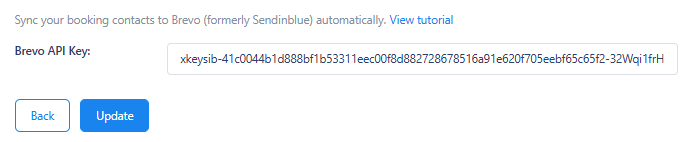
1) Navigate to Calboy/Integration/Brevo Settings then enter your Brevo Api Key then click the button ‘Update’.
2) When MailChimp is integrated, new contact information will be stored in your Brevo contacts every time a user books an appointment.
1) Navigate to Calboy/Integration/Brevo Settings then enter your Brevo Api Key then click the button ‘Update’.
2) When MailChimp is integrated, new contact information will be stored in your Brevo contacts every time a user books an appointment.